How to install CI HUB Connector Professional in
Adobe Photoshop (Apple Silicon)

Follow this step-by-step guide to complete your installation.

Ensure you are on a Mac computer using Apple Silicon.
(For Intel Macs or Windows computers, continue here instead.)
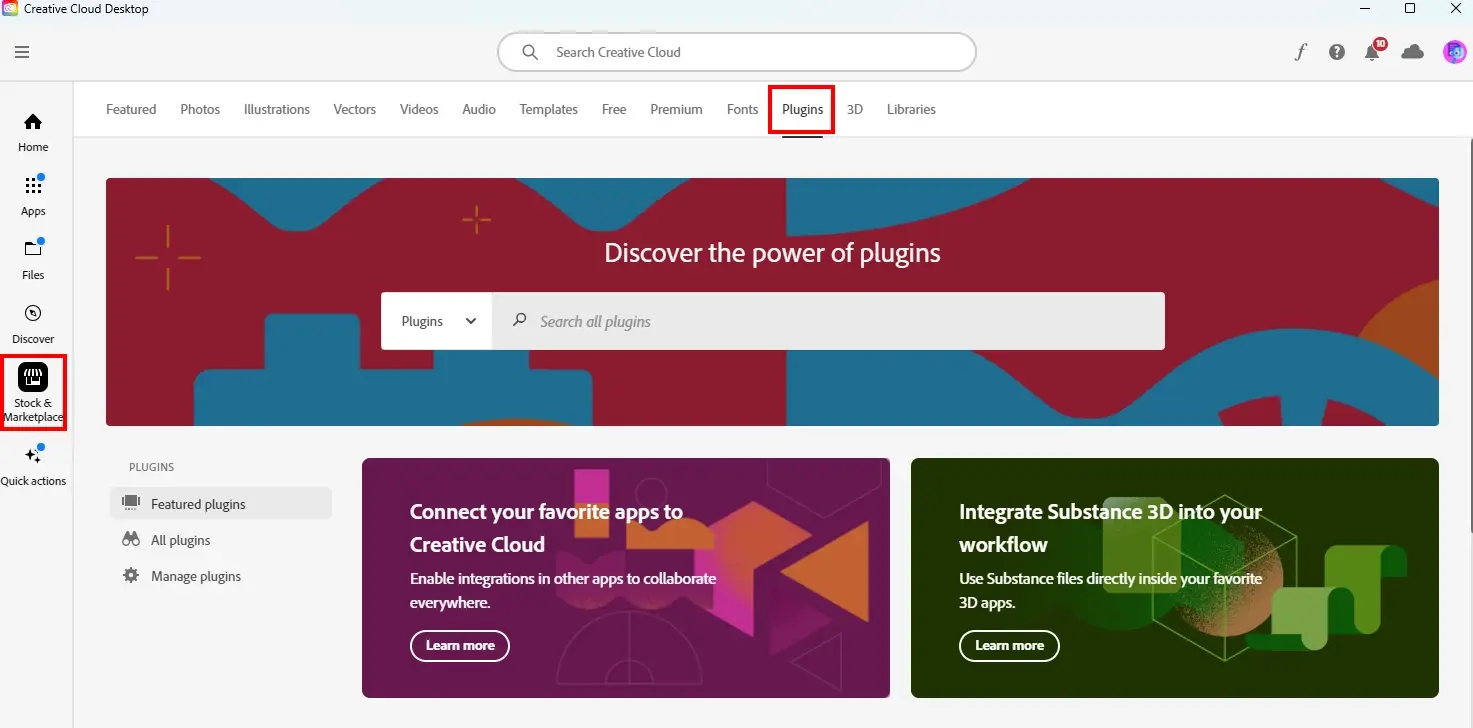
ci-hub-get-started-connector-professional-adobe-step1
Step 1

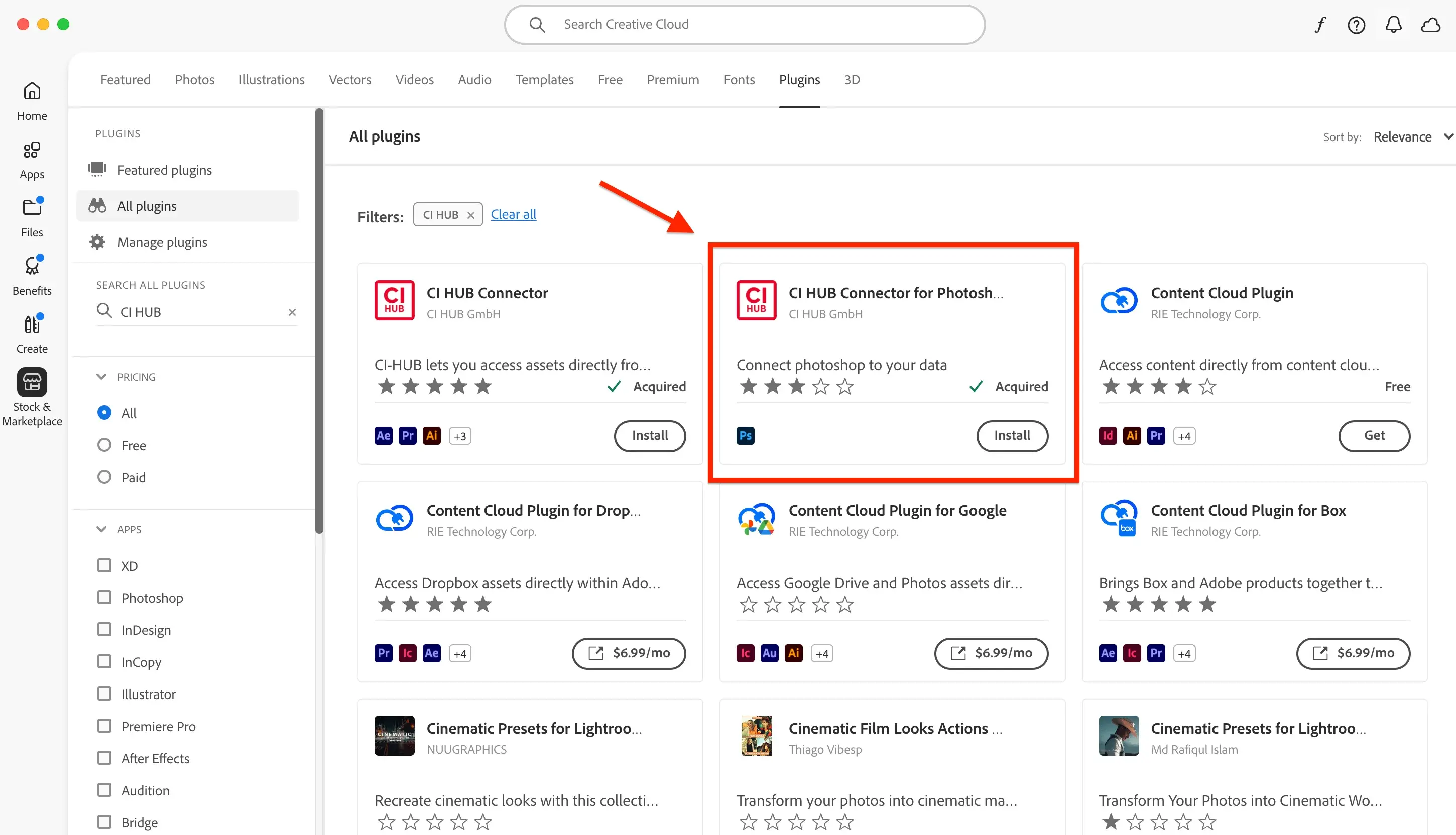
Open your Adobe Creative Cloud application. On the left side menu, select Stock & Marketplace then click Plugins.

Alternatively, go to the Adobe Exchange App Detail Page directly.

photoshop-silicon-step2
Step 2
Type "CI HUB" into the search bar and install the "CI HUB Connector for Photoshop". Make sure you select the correct connector, as the others will not work with Apple Silicon products.
photoshop-silicon-step3
Step 3

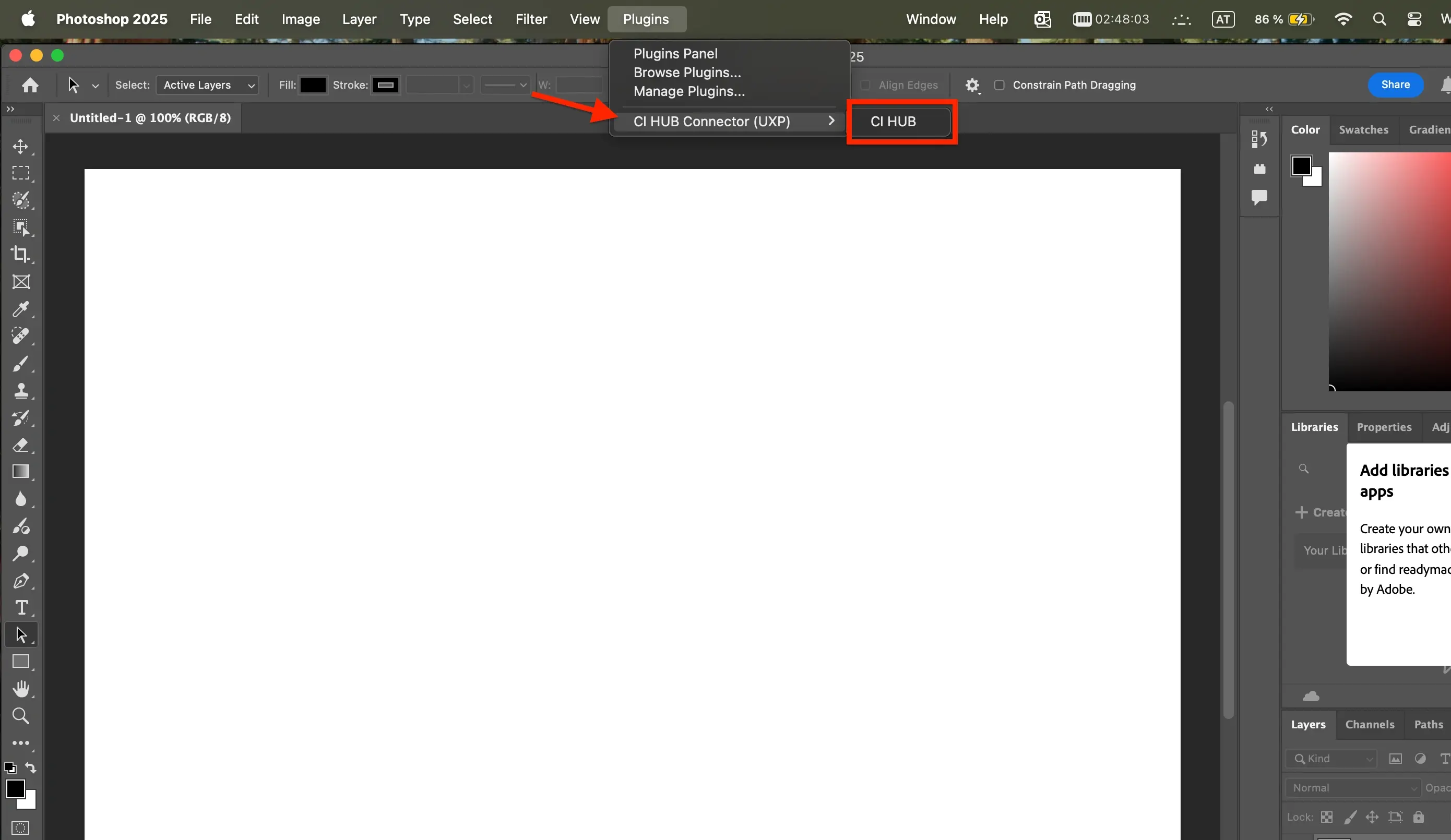
Once installed, open Adobe Photoshop and find the plugin/extension under "Plugins"

photoshop-silicon-step4
Step 4
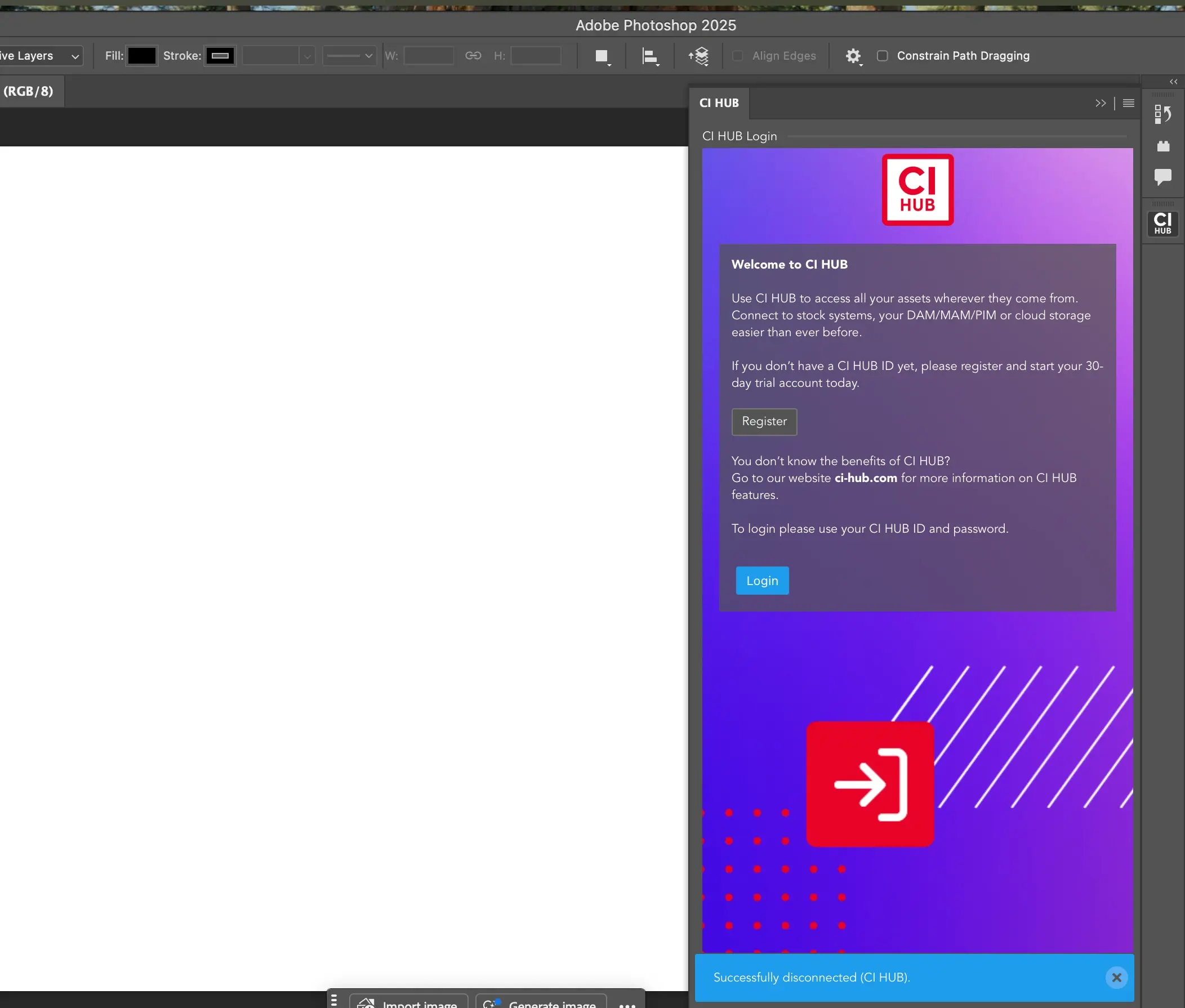
Click Login once the CI HUB pop up appears and enter in your CI HUB credentials to enable the connector.
photoshop-silicon-step5
Step 5
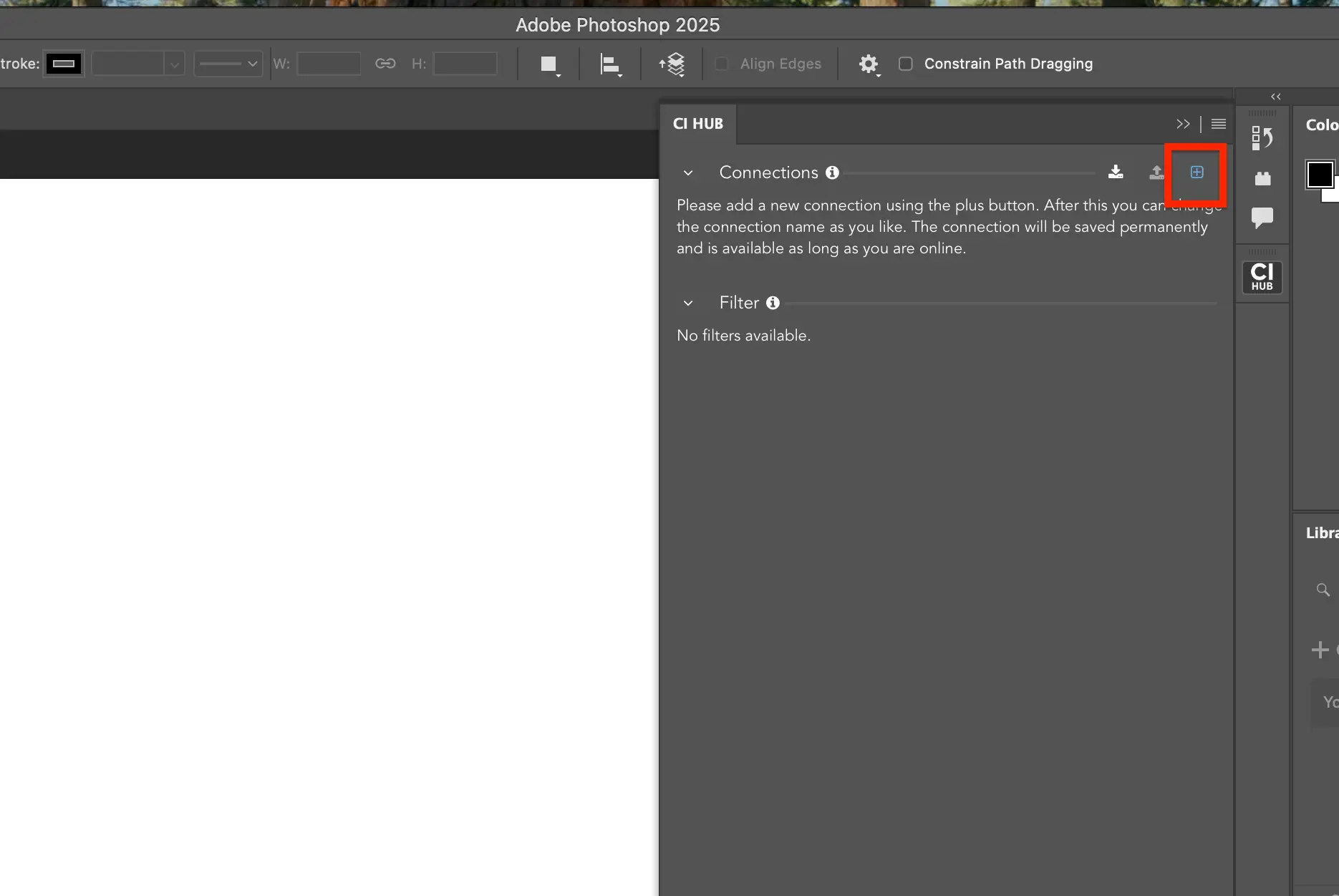
Once the CI HUB Connector is enabled, click the + symbol next to connections. Search your connection and click on the + button to add the connection. 
image (8)
Step 6
Once authenticated, you'll receive a pop up notification
letting you know that CI HUB has been successfully
connected to any connection.
× Full view

Video Introduction Headline

Lorem ipsum dolor sit amet, consectetur adipiscing elit, sed do eiusmod tempor incididunt ut labore et dolore magna aliqua. Ut enim ad minim veniam, quis nostrud exercitation ullamco laboris nisi ut aliquip ex ea.

Do you have questions?
We have the answers

You can install the CI HUB Connector Professional by following the installation steps provided for Adobe Photoshop on Apple Silicon devices. Make sure you are using a Mac computer with Apple Silicon before starting the setup.

Yes. This installation process is specifically designed for Mac devices running Apple Silicon. Users on Intel-based Macs should follow the separate installation guide for Intel systems.

Before installation, ensure that Adobe Photoshop is installed on your Apple Silicon Mac and that you have valid CI HUB credentials. You also need access to a supported DAM system for connection setup.

After installation, the CI HUB panel becomes available inside Adobe Photoshop through the plugins or extensions section. From there, you can log in and connect your DAM system.

Once the connector is installed and authenticated, you can search assets using keywords or metadata directly from the CI HUB panel. Assets can then be accessed and used within Photoshop without manual downloads.