How to install CI HUB Connector Professional in
Adobe Express
Follow this step-by-step guide to complete your installation. You can click on the pictures to view enlarged versions of each image!
Step 1
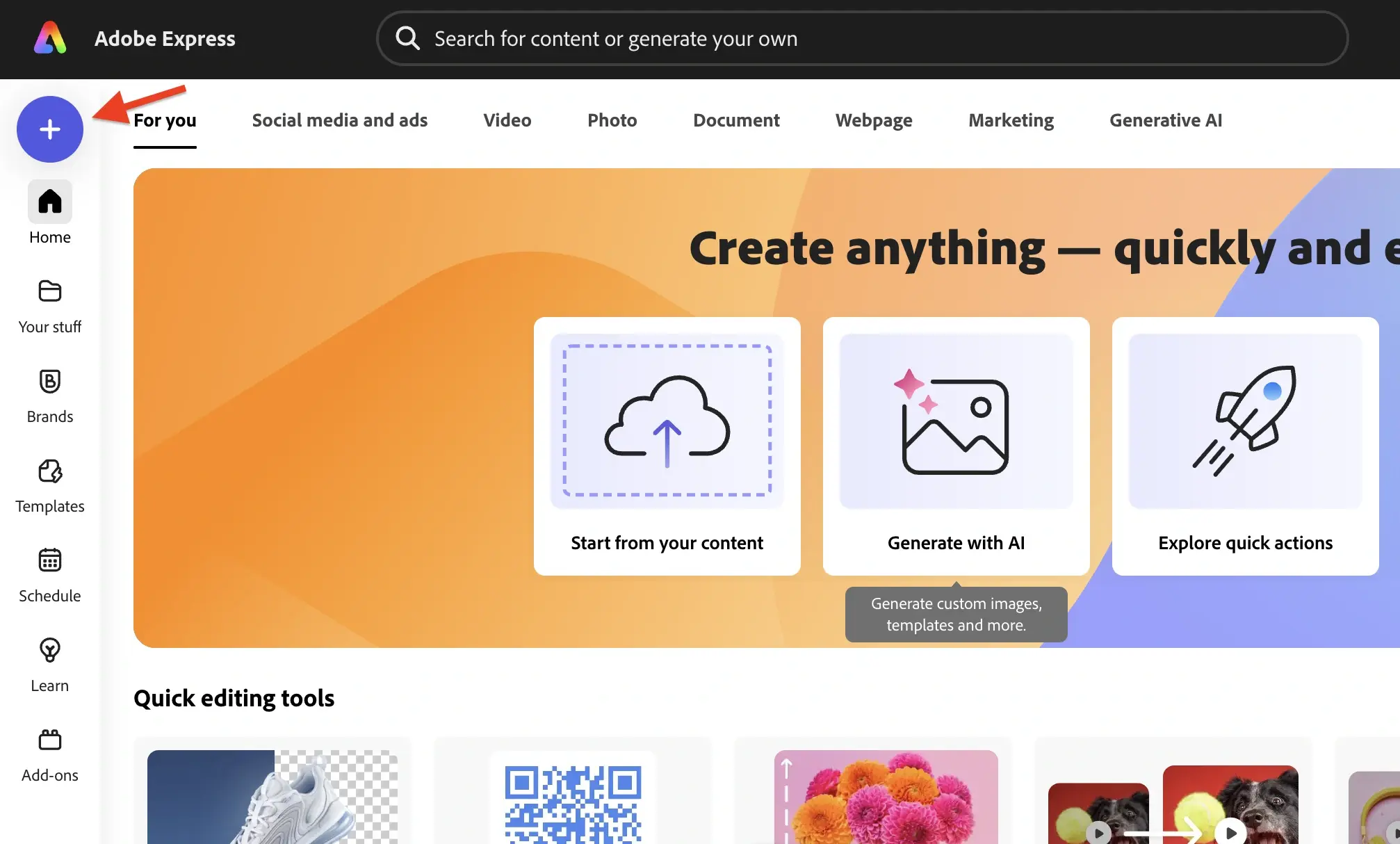
Open Adobe Express and Create a new or open a previous project.
Step 2
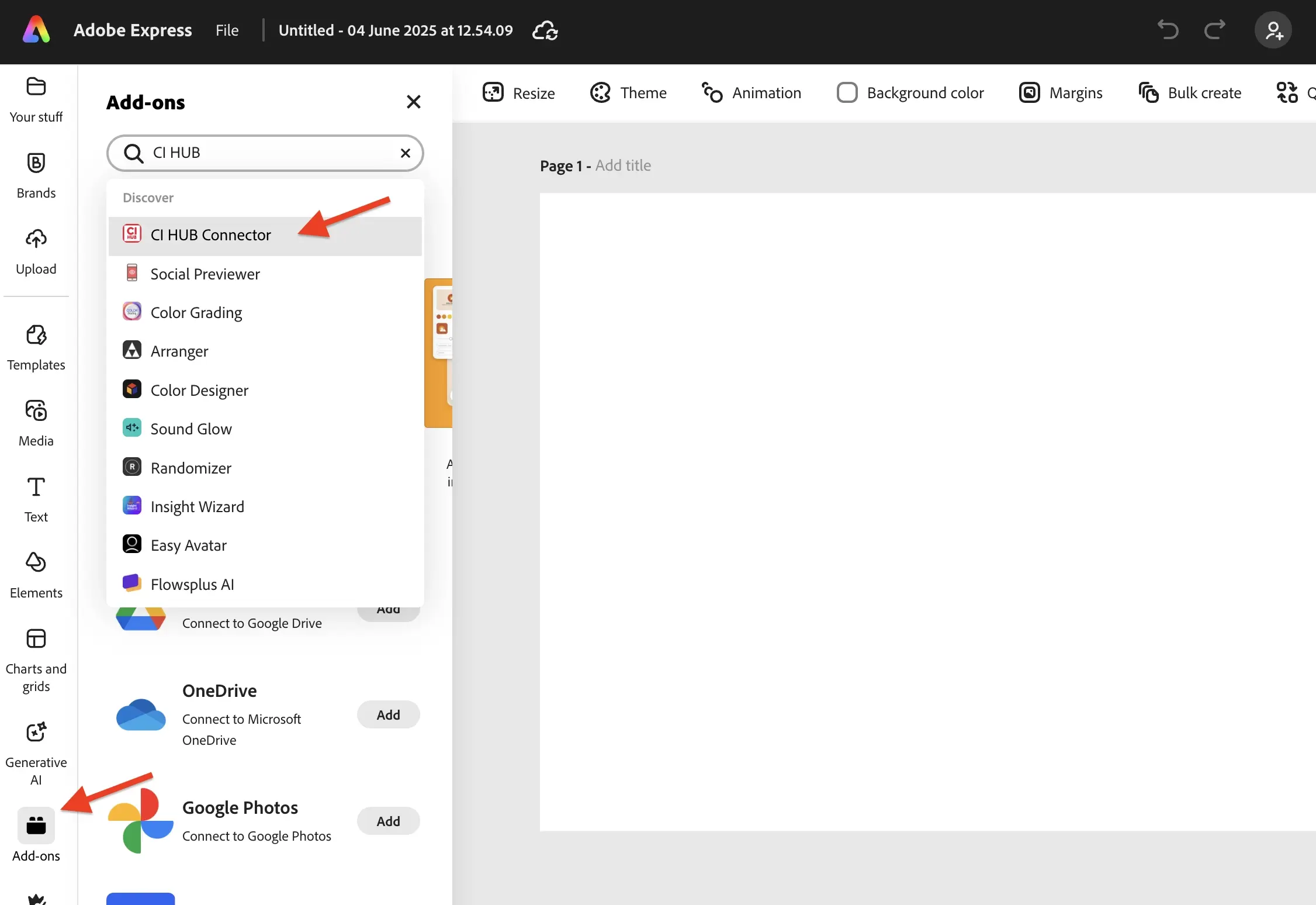
On the left side of the screen, scroll down until you see "Add-ons", then click on it. In the search bar type "CI HUB" and click on "CI HUB Connector"
Step 3
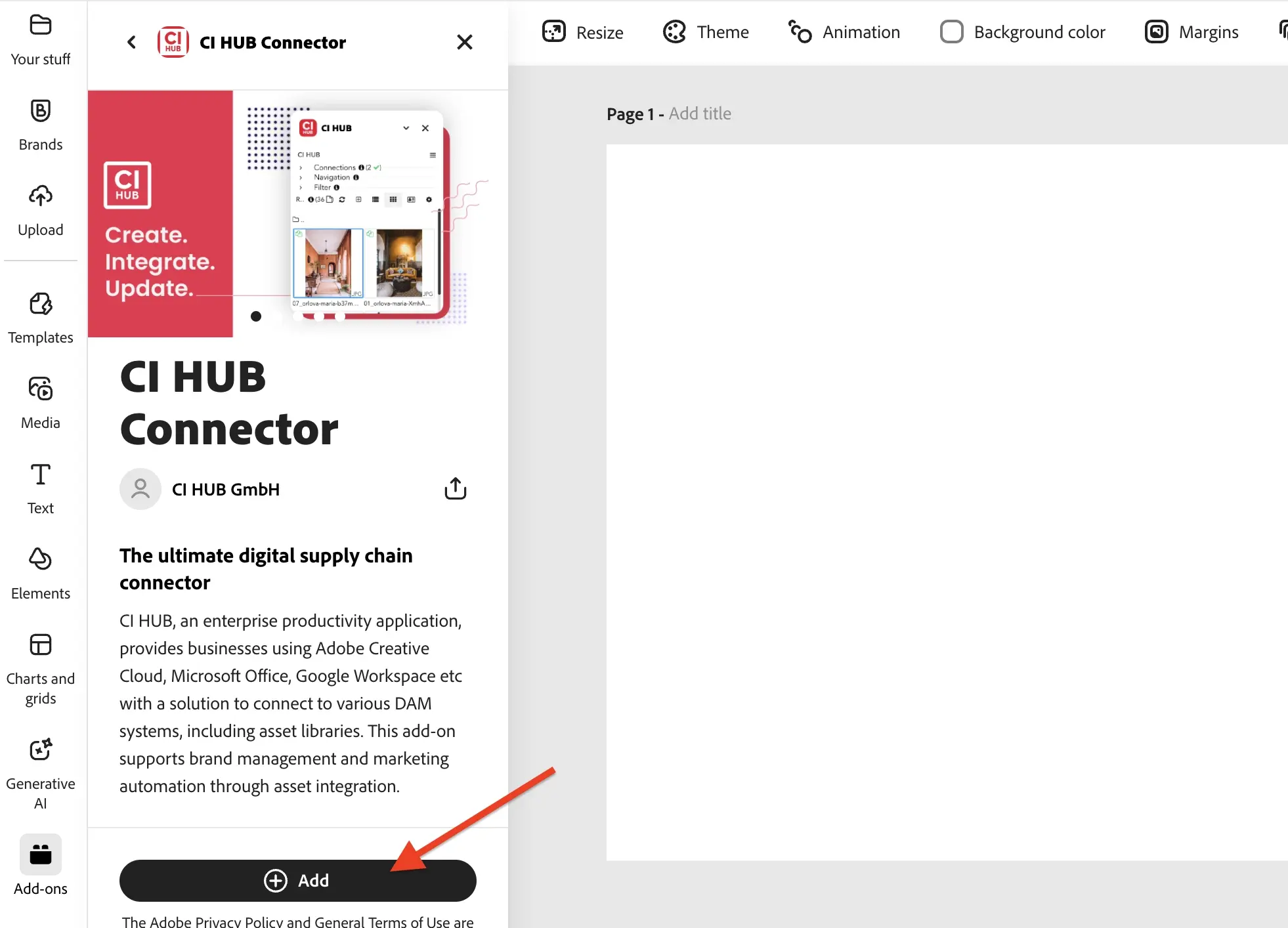
Install the "CI HUB Connector" by clicking on "Add".
Step 4
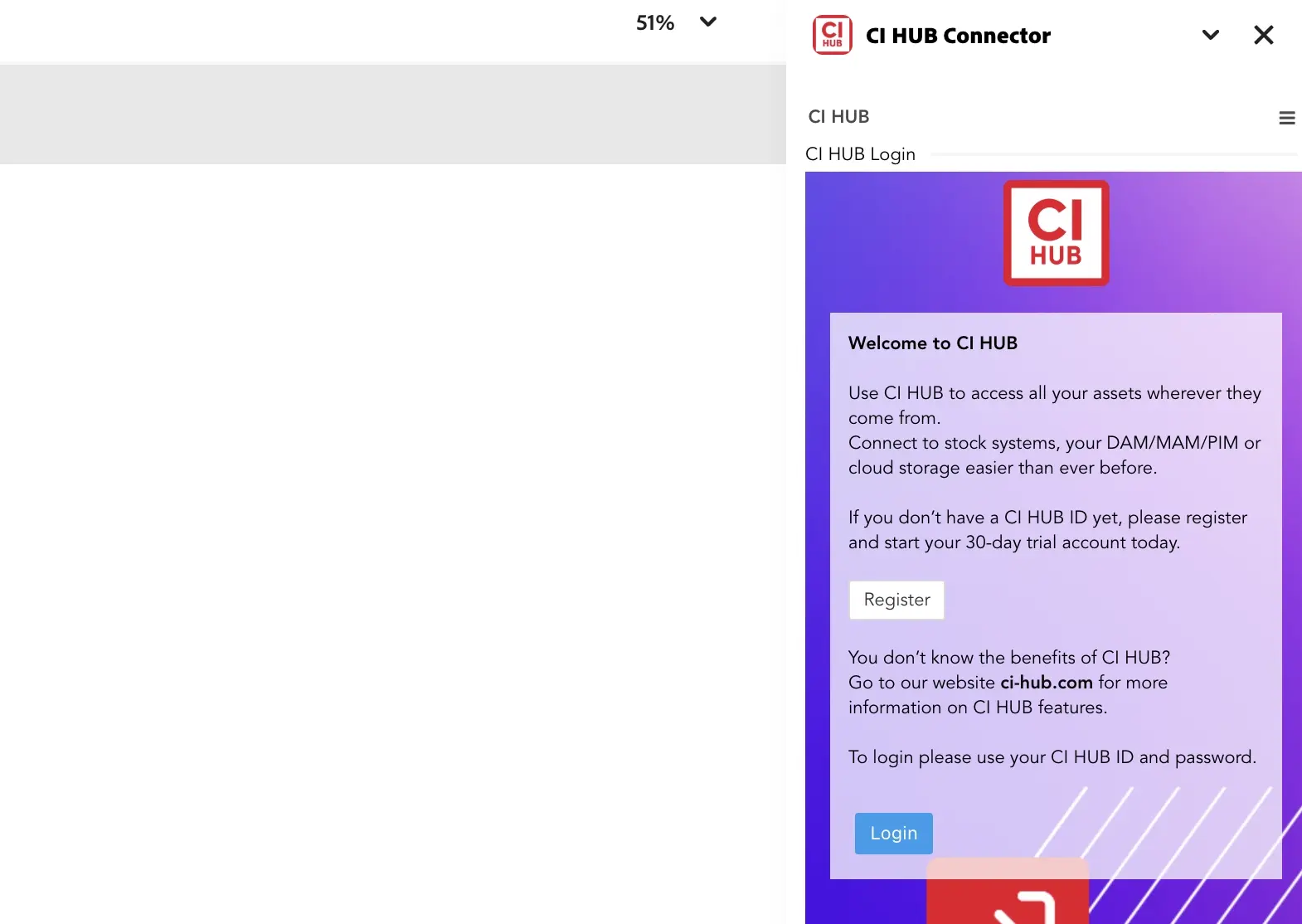
Click Login once the CI HUB pop up appears and enter in
your CI HUB credentials to enable the connector.
Step 5
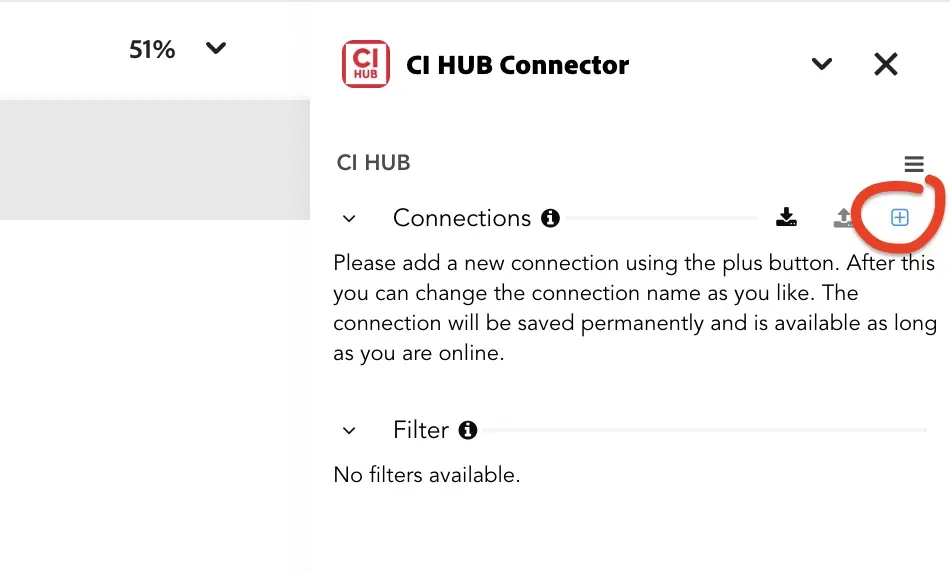
Once the CI HUB Connector is enabled, click the + symbol
next to connections. Search your connection and click on
the + button to add the connection.
next to connections. Search your connection and click on
the + button to add the connection.
Step 6
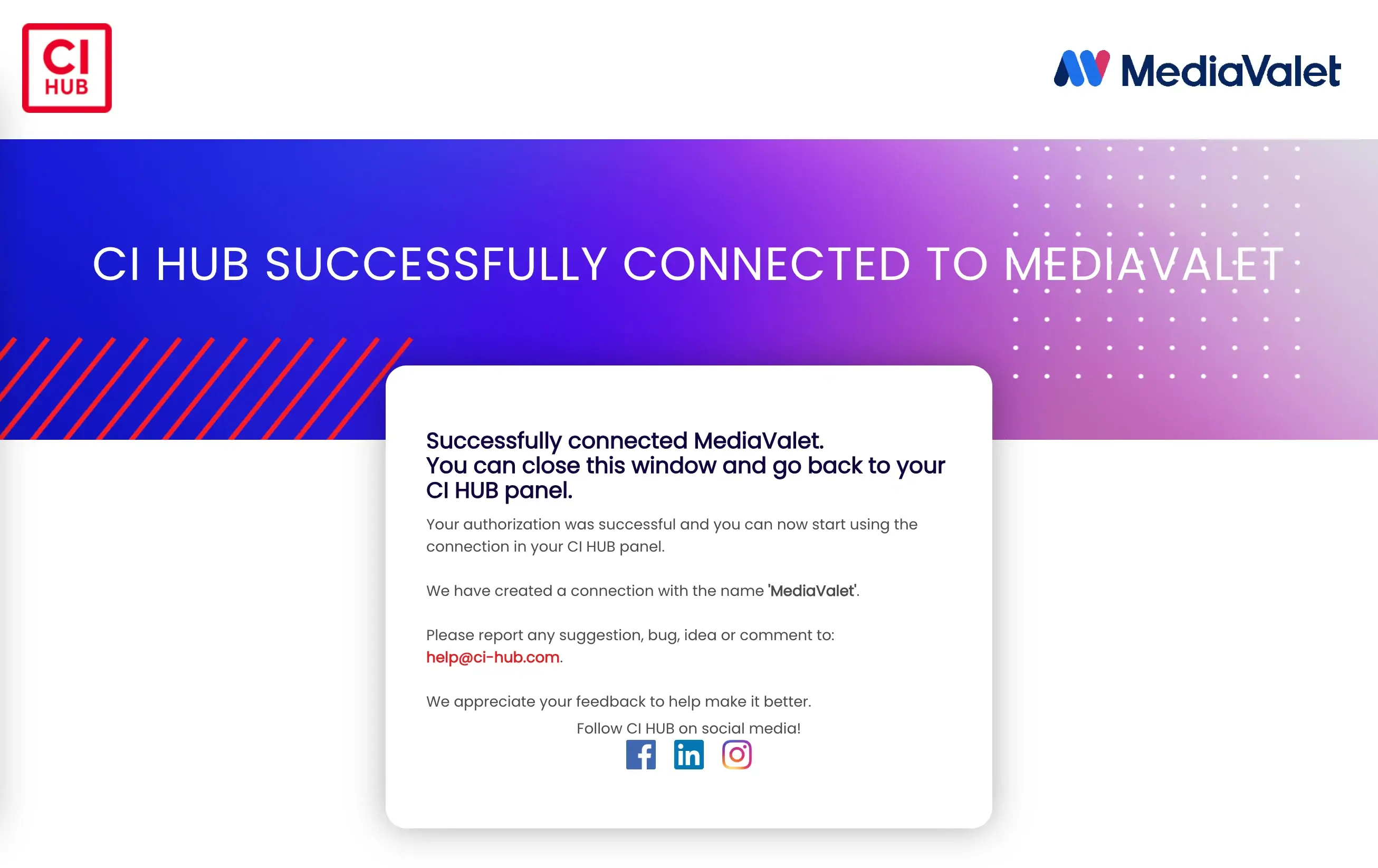
Once authenticated, you'll receive a pop up notification
letting you know that CI HUB has been successfully
connected to any connection.
letting you know that CI HUB has been successfully
connected to any connection.
×
Lorem ipsum
Video Introduction Headline
Lorem ipsum dolor sit amet, consectetur adipiscing elit, sed do eiusmod tempor incididunt ut labore et dolore magna aliqua. Ut enim ad minim veniam, quis nostrud exercitation ullamco laboris nisi ut aliquip ex ea.
FAQs
Do you have questions?
We have the answers
You can install CI HUB Connector Professional through the available Adobe Express plugin or extension options. Once installed, the connector becomes accessible within Adobe Express and can be configured with your CI HUB account.
Before installation, you should have access to Adobe Express, valid CI HUB credentials, and a supported DAM system. This allows you to authenticate and connect your asset repository after setup.
After opening the CI HUB panel, sign in with your CI HUB credentials. You can then add your DAM connection, complete authentication, and begin accessing approved assets directly within Adobe Express.
Yes. Once connected, you can search and access approved assets from your DAM while creating social media graphics, marketing materials, and other visual content in Adobe Express.
CI HUB brings asset access directly into Adobe Express, making it easier to locate and use approved content without switching between applications. This helps teams create branded content more efficiently.