How to install CI HUB Brand Connector in
Google Sheets

Follow this step-by-step guide to complete your installation. You can click on the pictures to view enlarged versions of each image!
google-sheets-step1
Step 1

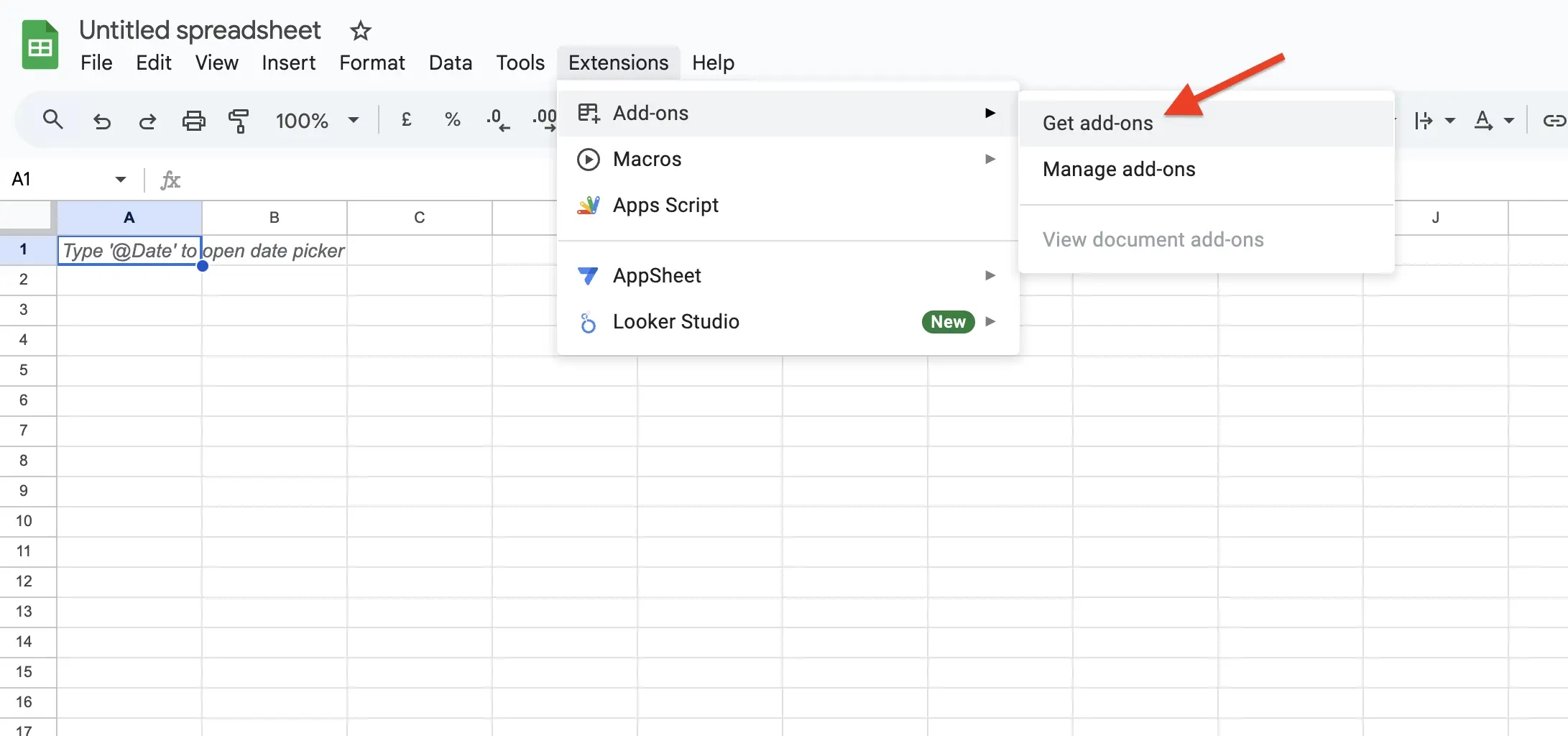
Open Google Sheets and create a new or open an existing spreadsheet. Once it's open, on the top side of your screen, look for "Extensions", "Add-ons" and select "Get add-ons".

CI-HUB-Brand-Connector-Google-Sheets-1
Step 2

In the search bar type "CI HUB" and click on "CI HUB Brand Connector".

CI-HUB-Brand-Connector-Google-Sheets-2
Step 3

Install the extension by clicking on "Install" and follow the installation process.


CI-HUB-Brand-Connector-Google-Sheets-3
Step 4

After successfully installing the add-on, close the panel by clicking on Done.

CI-HUB-Brand-Connector-Google-Sheets-4
Step 5

Open your previously created spreadsheet and on the top side of your screen select "Extensions", "CI HUB Brand Connector", and Open to start the CI HUB Brand Connector.

CI-HUB-Brand-Connector-Google-Sheets-5
Step 6
Click Login once the CI HUB pop up appears and enter in your CI HUB credentials to enable the connector.
google-sheets-step7
Step 7
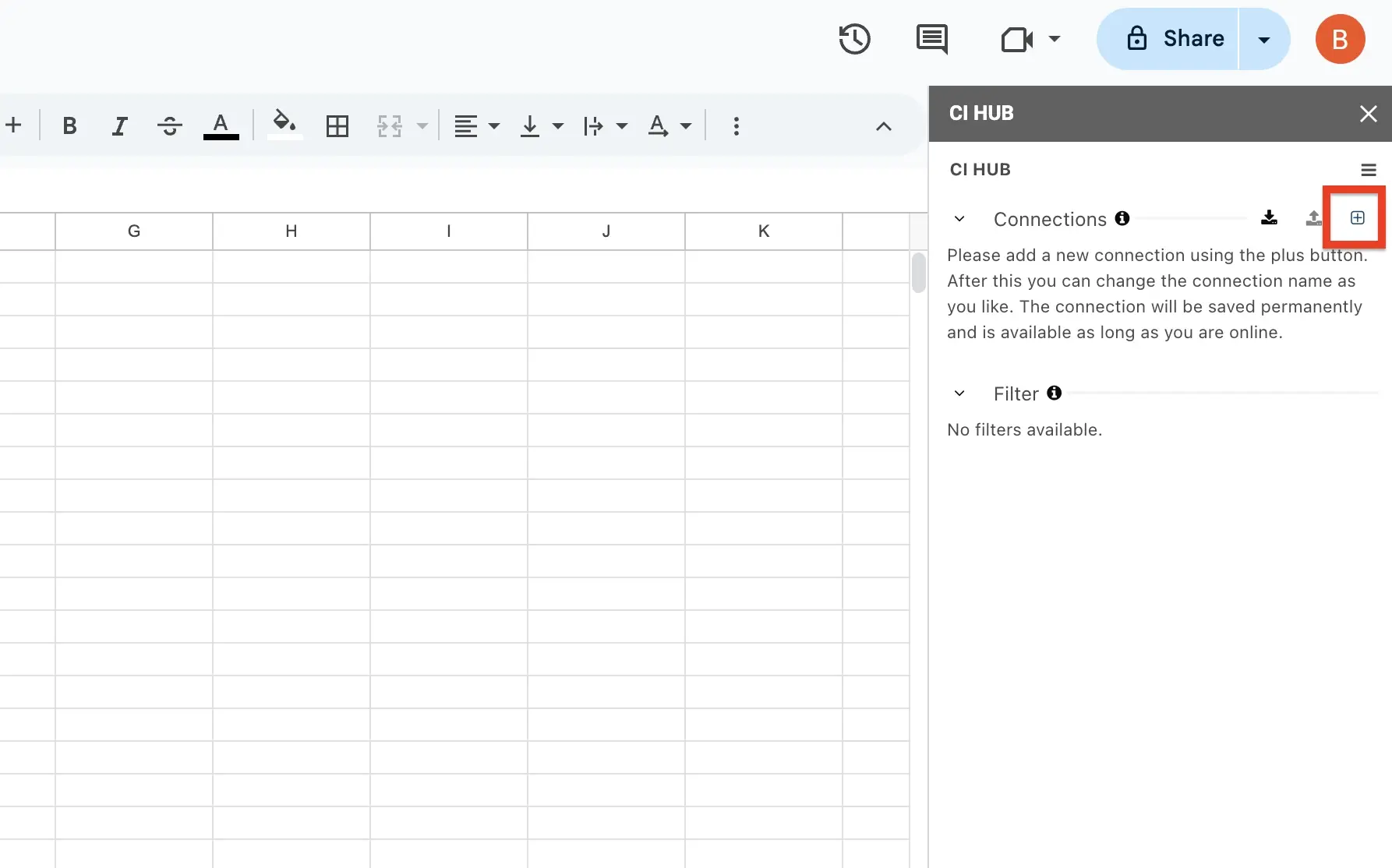
Once the CI HUB Brand Connector is enabled, click the + symbol next to connections. Search your connection and click on the + button to add the connection. 
ci-hub-get-started-connector-professional-adobe-step6
Step 8
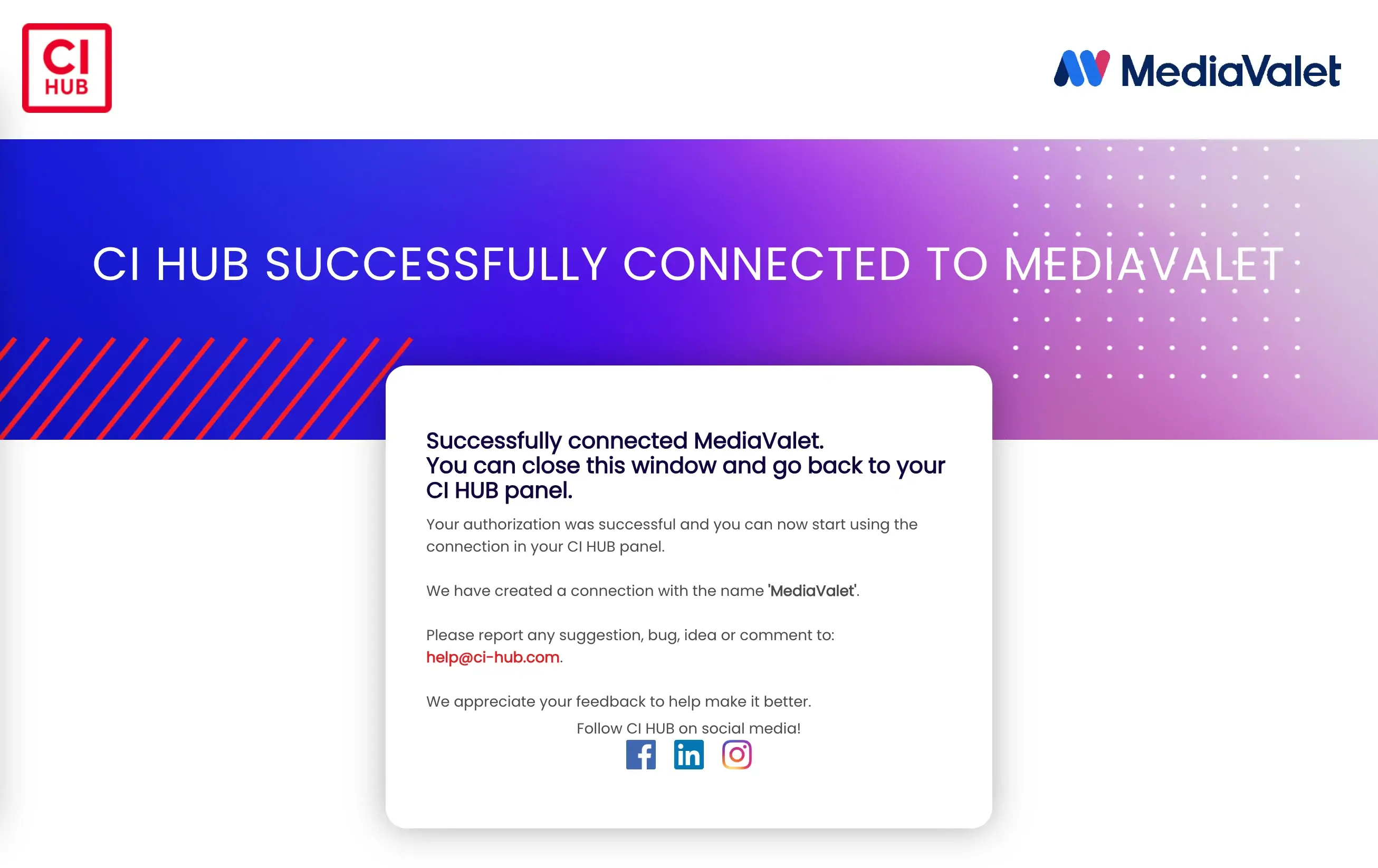
Once authenticated, you'll receive a pop up notification letting you know that CI HUB has been successfully connected to any connection.
× Full view

Video Introduction Headline

Lorem ipsum dolor sit amet, consectetur adipiscing elit, sed do eiusmod tempor incididunt ut labore et dolore magna aliqua. Ut enim ad minim veniam, quis nostrud exercitation ullamco laboris nisi ut aliquip ex ea.

Do you have questions?
We have the answers

CI HUB simplifies digital asset management by providing a unified interface that enables easy access, management, and use of digital assets across multiple applications and platforms, streamlining workflows, enhancing productivity, and ensuring consistency in branding and messaging.

CI HUB supports a wide range of digital assets, including images, videos, logos, icons, documents, and other media types commonly used in the creative process.

Setting up and configuring CI HUB is a simple process that involves creating an account, selecting the digital asset management system you want to integrate with, and following the instructions for installation and setup.

Yes, CI HUB is designed with security in mind, and uses industry-standard encryption and other security measures to protect user data and ensure secure access to digital assets.

Yes, CI HUB is designed for collaboration and team workflows, enabling multiple users to access and use digital assets in a unified interface, streamlining collaboration and enhancing productivity.