
Outlook, Made Seamless with CI HUB
Streamline your email workflow with instant access to assets in-app.
How does CI HUB enhance Microsoft Outlook?
This simple solution empowers you to connect to your external data and assets within Outlook, helping you craft better emails, improve your time management, and also eliminate distractions.
Powerful Features For Everyday Ease
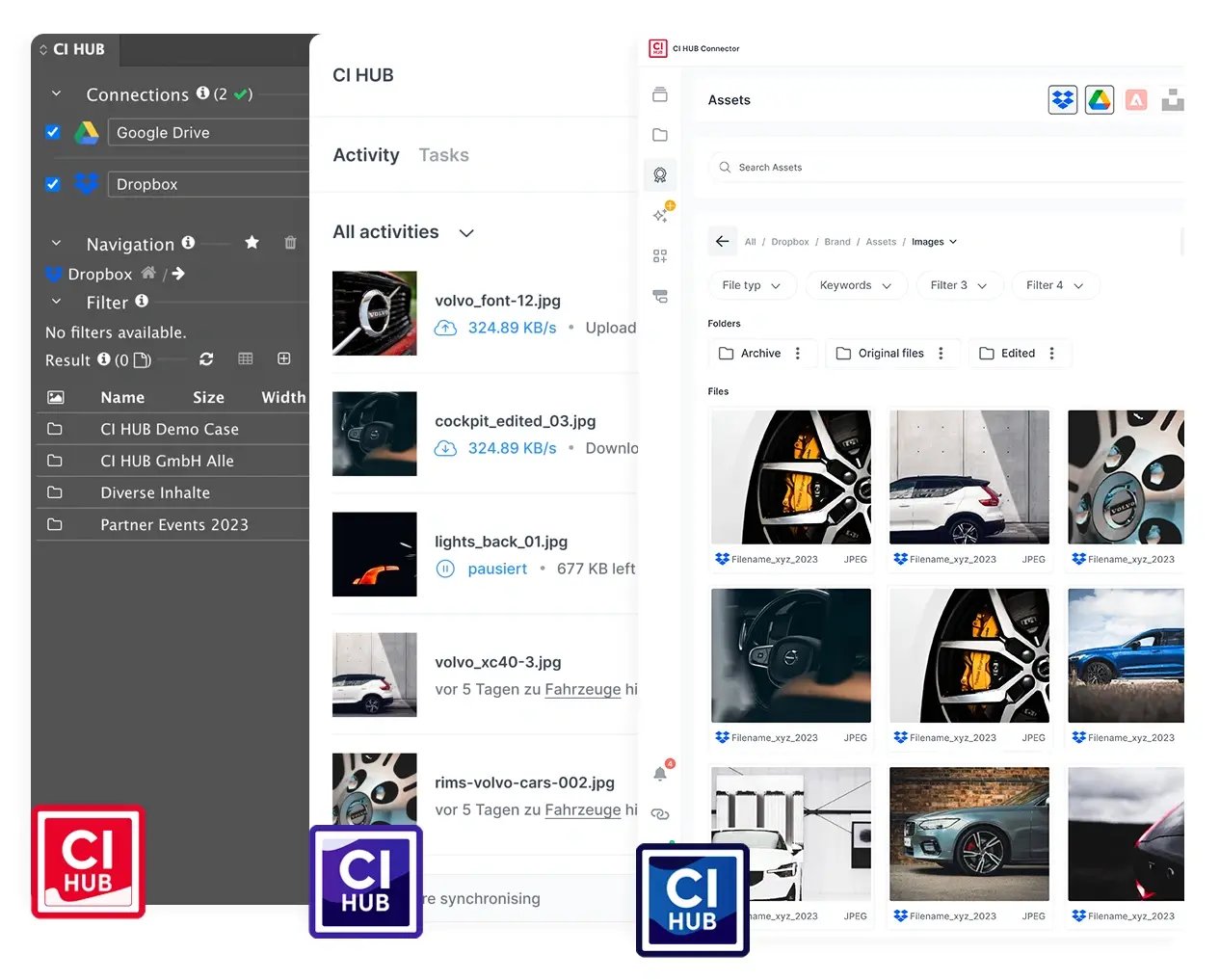
Browse out-of-the-box in 60+ leading DAM, PIM, Cloud Storage, Stock Provider, and Work-Management systems.
CI HUB aggregates information and assets from all connected sources and systems into one diverse data pool that is accessible within Outlook. This greatly increases your efficiency, so you can spend more time creating great content.
Everyone can access and edit emails in Outlook together. Edit documents in different applications with track changes, leave comments, chat and collaborate with your team, no matter where they are.
Work Smarter withSeamless Integrations
-1.png?width=580&height=435&name=4_3%20(1)-1.png)
Discover how you can integrate Microsoft Outlook into your workflow with CI HUB

Stay in your Flow with CI HUB

Browsing made easy
Access any supported work management system or browse DAM, MAM, PIM, cloud storage, and stock provider workflows — all within Outlook.

Drag & Drop
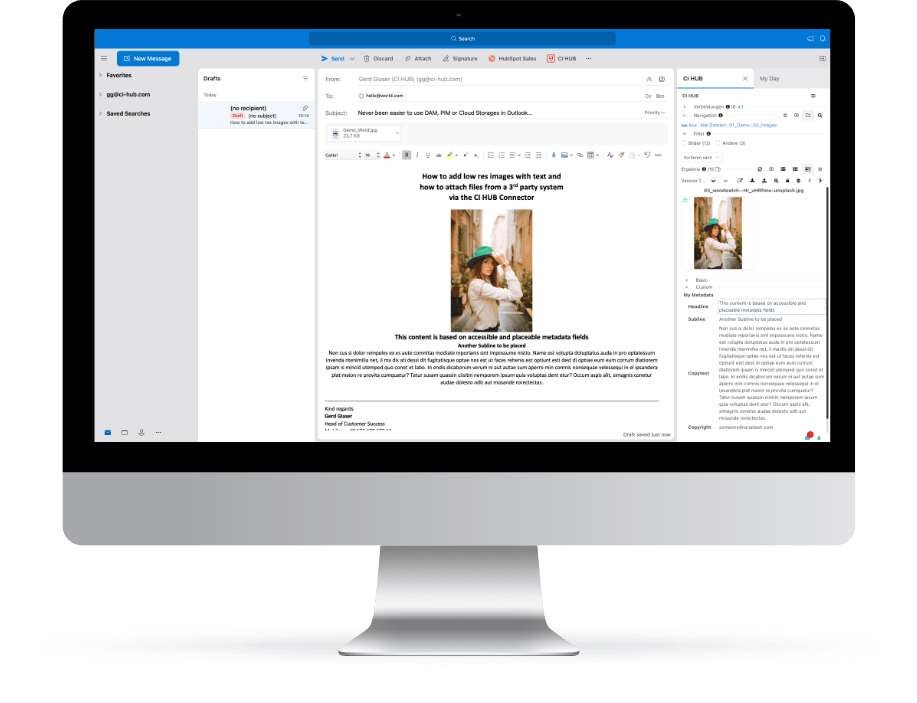
Simply drag & drop metadata content from any third-party system into your email. You can also use this feature for IPTC, Exif, or XMP data.

Rendition feature
Convert images to a low resolution if you need a smaller file size. Effortlessly attach and send content via email, while reducing loading times.

Swift saving & easy access
Save your received attachments into a DAM or cloud storage system without leaving Outlook.

Attachments
Place or attach images and documents from third-party systems into your emails. To avoid any mishaps, our Outlook Integration also allows you to check the file size before attaching it.

Secure
CI HUB ensures secure workflows compliance with all data privacy regulations, keeping your files safe and protected.
In addition to Microsoft Outlook, CI HUB is also available for :

Adobe Creative Cloud
Adobe Photoshop, Indesign, InCopy, Illustrator, Premiere Pro, After Effects and Adobe Express.

Microsoft 365
Quickly access brand assets in Word, PowerPoint, Excel, Outlook, and SharePoint.

Google Workspace
Google Docs, Google Slides and Google Sheets.

Canva
Connect your DAM directly to Canva and access all your digital assets like pictures, texts, logos and more from within Canva with ease.

Figma
Boost your creativity and streamline workflows with CI HUB for Figma.

Sketch
Import assets into Sketch to design stunning UI/UX with ease.

Salesforce
Craft personalized experiences that captivate and convert with Salesforce.

WordPress
Access the data and assets your need to build your website without leaving WordPress.


“By solving many of the problems associated with traditional DAM connectivity, CI HUB is truly a game changer in the field of connectivity tools.“

Marc Konik
Vice President of Technology, PureRed
40%
Reduction in workload
+60 Leading
Tools connected
Take your creative work to the next level.
Start Free Trial





.webp?width=54&height=54&name=MS_Powerpoint%20(1).webp)
.webp?width=54&height=55&name=MS_Word%20(1).webp)


