
Elevate Your Illustrator
Workflow with CI HUB
Create, manage, distribute and version your multi-channel templates with ease.
Overview
How does CI HUB enhance
Illustrator?
Your creative work needs more focus and less distraction. With CI HUB, stay in your flow and access everything you need without ever leaving Illustrator. Streamline your creative production, collaboration, and project management with this simple plugin.
Sometimes the simplest things slow us down most. Like finding the image you need for your Illustrator project, lost somewhere in an external DAM. With CI HUB, access all your data in one panel within the Illustrator. No more window-hopping, just creative focus!

Powerful Features Designed for Creatives
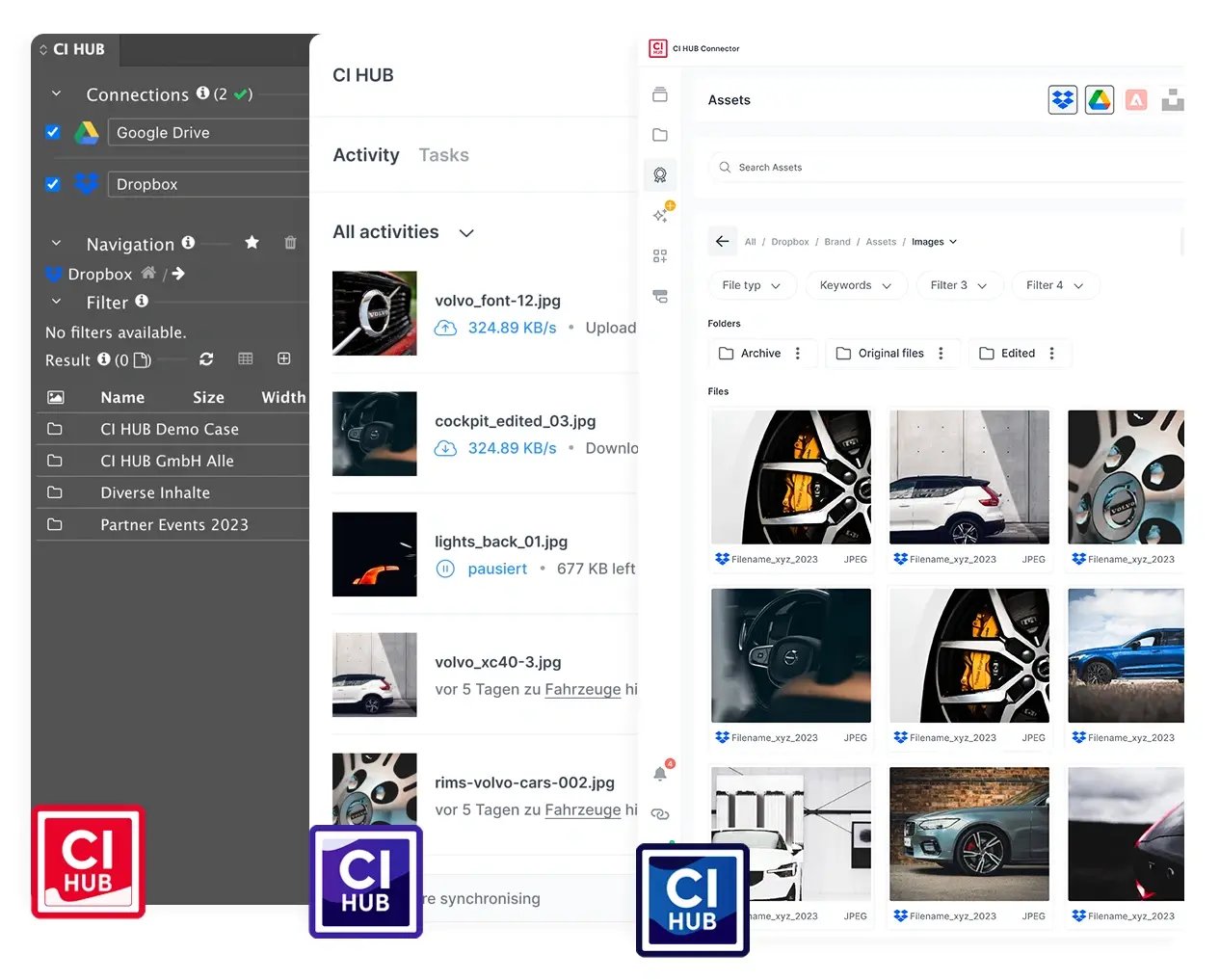
No more switching between apps. With CI HUB, access all of your assets – images, fonts, logos and more – from a variety of cloud storage and DAM systems right within Illustrator. Save time and streamline your workflow.
CI HUB aggregates information and assets from all connected sources and systems into one diverse data pool that is accessible within Illustrator. This greatly increases your efficiency, so you can spend more time creating great content.
With the bidirectional exchange feature, everyone can access and edit files in Illustrator together. Edit documents in different applications with track changes, leave comments, chat and collaborate with your team, no matter where they are.
Work Smarter withSeamless Integrations
-1.png?width=580&height=435&name=4_3%20(1)-1.png)
Discover how you can integrate Illustrator into your workflow with CI HUB

Illustrator, Perfected with CI HUB

Limitless Creative Potential
Can create different versions of your content while editing and adapt it to your liking. Take full control over your versions, including the thumbnails and timestamps.

Enhanced Collaboration
Link internal and external teams, improving both teamwork and the review process. This also minimizes data processing across the entire business.

Drag & Drop
Instantly drag & drop images or metadata from third party systems into your project.

File Size Optimization
Temporarily optimize file size with low resolution images to improve loading times for editing or review. When it comes time to finalize your creative production, you can simply switch them back to the original version.

No more manual uploads
Save your content directly to a connected DAM or cloud storage system without leaving Illustrator.

Secure
CI HUB ensures secure workflows compliance with all data privacy regulations, keeping your files safe and protected.
In addition to Adobe Illustrator, CI HUB is also available for:

Adobe Creative Cloud
Adobe Photoshop, Indesign, InCopy, Illustrator, Premiere Pro, After Effects and Adobe Express.

Microsoft 365
Quickly access brand assets in Word, PowerPoint, Excel, Outlook, and SharePoint.

Google Workspace
Google Docs, Google Slides and Google Sheets.

Canva
Connect your DAM directly to Canva and access all your digital assets like pictures, texts, logos and more from within Canva with ease.

Figma
Boost your creativity and streamline workflows with CI HUB for Figma.

Sketch
Import assets into Sketch to design stunning UI/UX with ease.

Salesforce
Craft personalized experiences that captivate and convert with Salesforce.

WordPress
Access the data and assets your need to build your website without leaving WordPress.


“The CI HUB platform and team are dedicated to supporting those complex creative workflows and they really understand the paradigms of digital asset management.

Sean Carty
Director of Product Marketing, Brandfolder
40%
Reduction in workload
+60 Leading
Tools connected
Take your creative work to the next level.
Start Free Trial





.webp?width=54&height=54&name=MS_Powerpoint%20(1).webp)
.webp?width=54&height=55&name=MS_Word%20(1).webp)


